How to Manage 50+ Faceless Instagram Accounts Without Hiring a VA
Managing dozens of niche or “faceless” Instagram brands (like quote pages, fan pages, or curated reels) can feel impossible without a team. The secret is automation and smart scheduling, not more manpower. Faceless accounts usually share pre-made content or curated posts, making them ideal for batching and scheduling. In fact, “bulk imports and centralized management make all the difference” for pages running 5, 30, or even 50+ profiles. By using a unified scheduling dashboard, you avoid the chaos of logging in and out of multiple apps – saving hours of work and eliminating mistakes.
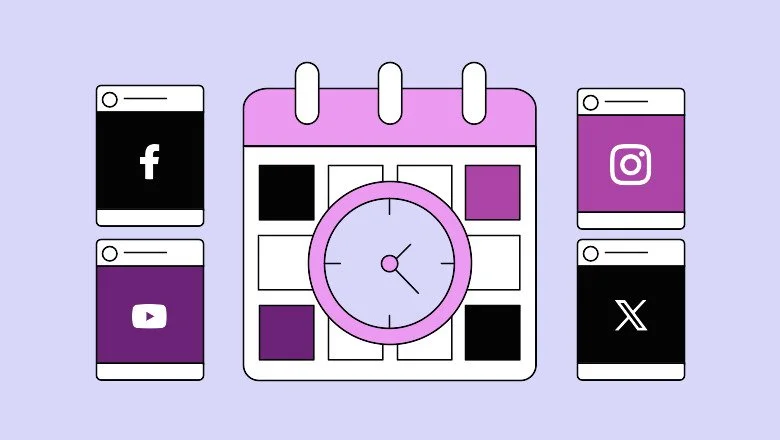
Figure: A unified content calendar lets you plan weeks of posts across all your Instagram accounts at once. Central dashboards (like Schedchie’s) let you see every scheduled post in one place. Instead of manually posting each day, you can upload batches of content and pick times to publish. This one-click approach replaces endless switching between accounts – no more “swapped caption” disasters from posting on the wrong page. In practice, you simply map out a content calendar for each niche, then use a tool to push out posts automatically on schedule.
Plan and Batch Your Content Strategically
The first step is planning. Treat each account as its own brand: define goals, themes, and target audiences. Ask: What does each page stand for? Who follows it? Then create a content calendar (even a simple spreadsheet or Trello board) for each profile. Schedule content by category (quotes, memes, curated images, etc.) so nothing falls through the cracks. For example, mark special hashtags or series for each account’s niche, and use recurring themes (like “Monday Motivation” quotes). A visual calendar helps you catch gaps – some managers even label posts by account or theme to spot missing days quickly.
Batch content creation: Spend a day designing or curating a week’s worth of posts for multiple pages at once. Tools let you upload multiple images/videos in one go and assign them to the right accounts. This “set it and forget it” approach means you only update the calendar when you run out of content.
Schedule posts in advance: As one marketer noted, dedicating a few hours to plan a week of Instagram posts “saved me a lot of nerves and ‘did I post it to the right account?’ obsessions”. By pre-scheduling, you’re free to handle urgent tasks or new trends without panic.
Reuse top-performing content: If a post did well on one page, easily repost or repurpose it for similar accounts. You can duplicate and tweak captions to fit each audience. Scheduling tools often let you recycle content automatically or save groups of hashtags to reapply.
Save hashtags and templates: Store caption templates and hashtag groups (like #QuoteOfTheDay, #MotivationMonday, #FanArtFriday) that fit each account’s niche. Then inserting them takes one click. This keeps your posts consistent without retyping tags every time.
By batching your planning (for example, using monthly themes or repeating series), you ensure every account has fresh content lined up. For high-volume posting, use a spreadsheet or scheduling tool’s CSV upload to import captions and images in bulk if available. The key is to spend a set block of time creating the content ecosystem, then let the scheduler handle distribution.
Create Content at Scale with AI and Templates
With planning in place, focus on efficient content creation. Faceless accounts thrive on visuals and captions that don’t require showing a face, so leverage tools that crank out post material quickly:
Graphic design templates: Use Canva, Adobe Express, or similar tools to make images (quote graphics, infographics, reposts of news articles, etc.) in bulk. Start with a set of brand templates (even if your brand is a topic, pick consistent colors/fonts). Many tools let you duplicate and modify designs in bulk. Stock photo sites (Unsplash, Pexels) and quote APIs can supply free visuals or quotes to plug into your templates.
AI-assisted captions and ideas: Schedchie and other modern schedulers include AI chatbots to write captions and suggest hashtags. For instance, Schedchie’s AI Assistant can “craft catchy captions, post ideas, and hashtag suggestions tailored to your audience”. You might ask it for a motivational caption or trending tags and let it spit out a starting point. Alternatively, use ChatGPT, Jasper, or Copy.ai to batch-generate caption variations (e.g. give it your image and niche keywords, and it will output 5 different captions). The AI approach keeps content fresh without manual brainstorming.
Figure: Schedchie’s built-in AI (SchedAI) can generate captions and hashtags to speed up content creation. Incorporating AI in your workflow saves countless hours: you can create entire caption calendars in minutes instead of writing each line by hand. Just proofread and tweak the AI output to match your voice. Also consider tools like Unscreen or Textify to create animated text videos or caption images, which you can then schedule as posts or Reels.
Repurpose and curate: Set up RSS feeds or alerts for topics in your niche, and use tools (like Zapier or Instantly AI) to push content ideas into your draft queue. Curating industry news or user-generated content can fill gaps. If one of your accounts focuses on quotes, use a quote database or even Instagram’s “saved” posts to repost user content (with credit) on your faceless page. The goal is to spend minimal time per piece: ideally, batch-create/modify in bulk, then hand off to automation.
By combining templates, stock assets, and AI tools, you dramatically cut down the content creation time. Once your images and captions are ready, upload them to your scheduler and let it handle the timing.

Automate Posting with Schedchie (Unlimited Scheduling)
This is where the right scheduler shines. Schedchie is built for high-volume, multi-account users. It offers flat-rate pricing and truly unlimited scheduling – meaning you can connect as many Instagram accounts (and posts) as you want for one low fee. After a free trial, Schedchie’s Pro plan is just €7.99/month, covering unlimited channels, posts, and planning. In short, “Schedchie fits” if you want a budget-friendly tool that scales.
Unlimited accounts & posts: Unlike tools that charge per account or cap your posts, Schedchie lets you add 50, 100 or even 200 Instagram profiles under one login. As the FAQ says, “Nope. Connect as many social media accounts as you need, so you can manage your entire online presence effortlessly”. There are no hidden limits – you truly can schedule thousands of posts ahead of time.
All-in-one dashboard: Post to Instagram (photos, carousels, Reels, Stories), Facebook, TikTok, Pinterest, Threads, and more – all from one calendar view. This unified calendar (like the screenshot above) makes switching between accounts painless. You can even schedule the same content to multiple accounts with a few clicks.
AI-powered assistance: Schedchie’s AI Chatbot (SchedAI) suggests captions and hashtags as you plan. This turns your scheduling tool into a content co-creator. Plus, the site touts “AI-driven scheduling at a fraction of the cost of competitors”, so you get smart features (like auto-suggestion of trending tags) without an enterprise price tag.
Analytics & recycling: While Schedchie focuses on scheduling, it also offers basic analytics and content recycling. You can view engagement stats for posts, and re-post top-performing content to keep engagement high. (For deeper analytics, you can always use Instagram’s Insights or a dedicated analytics tool.)
The result: you can load in a week’s worth of content for each account and let Schedchie handle posting. Its flat rate means your monthly cost won’t spike as your empire grows. This automation replaces the work a VA would do – the scheduling tool now handles 100% of the posting labor, freeing you to focus on strategy and growth.
Tools & Tips for Bulk Posting and Analytics
Beyond Schedchie, here are some recommended tools to streamline high-volume posting:
Graphic design: Canva, Crello, or Adobe Express for quick templates. Many have batch-export or multi-page projects.
Caption/Hashtag generation: Schedchie’s AI or standalone apps like ChatGPT, Jasper, Copy.ai, or ChatSilo. Even spreadsheet formulas can randomize hashtags.
Stock assets: Free image sites (Unsplash, Pixabay) or social video editors (InVideo, Storylabs) for video Reels. Batch-edit visuals in Photoshop/Lightroom if needed.
Scheduling alternatives: For reference, tools like OneUp or SocialBee also offer unlimited posts, but Schedchie stands out for its price. Buffer and Later allow multiple accounts but may cap posts or cost more at scale.
Analytics: Use Instagram’s native Insights to track each profile’s engagement, or a tool like Iconosquare, Sprout Social, or Later Analytics for cross-account reporting. Monitor metrics like engagement rate, top hashtags, and best posting times. Let data guide which content to batch-recycle.
In essence, treat your 50+ pages like one massive content machine. Plan in bulk, use AI/templates to create fast, and deploy it all with a scheduler.
FAQs
How can I manage multiple Instagram accounts efficiently in 2026? In 2026, the key is a centralized social media platform. Stop switching between phones or apps. Instead, connect all your accounts to one tool. This saves time and avoids mistakes: as one guide notes, managing multiple profiles is no longer limited to mobile apps – you can “manage all your accounts from one centralized dashboard”. Use that dashboard to plan and schedule posts in advance across all accounts. By batching and automating tasks (like scheduling, posting, even auto-responding to comments), you can handle many accounts quickly. For example, you might spend an hour creating next week’s content and scheduling it, then spend very little time day-to-day. These tools even let you automate cross-posting or set different time zones. Overall, a smart scheduler plus AI helpers means you can juggle 50+ pages “in minutes” without a VA.
What’s the best scheduler for faceless IG accounts? For niche or faceless pages that pump out lots of content, look for unlimited scheduling at a low flat price. Schedchie often tops the list: it’s described as “the best affordable social media scheduling tool, offering unlimited scheduling and accounts”. Industry reviews note that if you want budget-friendly + unlimited posts, Schedchie “fits” the bill. In practice, Schedchie’s plans let you connect unlimited Instagram profiles and schedule unlimited posts for a single fee. It even provides AI-generated caption and hashtag suggestions to save more time. Other tools like OneUp or SocialBee have similar “unlimited” features, but Schedchie’s flat €7.99/mo after trial is extremely competitive. In short, using Schedchie (or a comparable unlimited scheduler) is widely seen as the easiest way to automate dozens of faceless Instagram pages without hiring extra help.
In summary, the secret to running 50+ faceless IG brands is systems, not staff. Plan smart, create in bulk, and let automation do the posting. With tools like Schedchie, you’ll be able to consistently post high volumes of content across all your niche pages without the hassle (or cost) of a team. Stay organized, leverage AI, and your pages will keep growing even while you sip your morning coffee.
Stop Paying Per Social Account.
Schedule unlimited posts across 10+ platforms for the price of two lattes. No caps, no limits.
