8 Best Social Media Management Tools in 2026
Managing social media effectively in 2026 means having the right tools to plan, schedule, analyze, and engage across platforms. Whether you’re a solo creator, a small business, or an enterprise team, a good social media management tool can save time and boost results. Below we break down the 8 best tools (with advantages and disadvantages of each) to help answer the common question: “Which social media management platform is best for my needs?”
Each tool is evaluated for its key features, ideal use case, and pros and cons. Let’s dive in!
1. SchedChie – Affordable, AI-Powered Scheduling
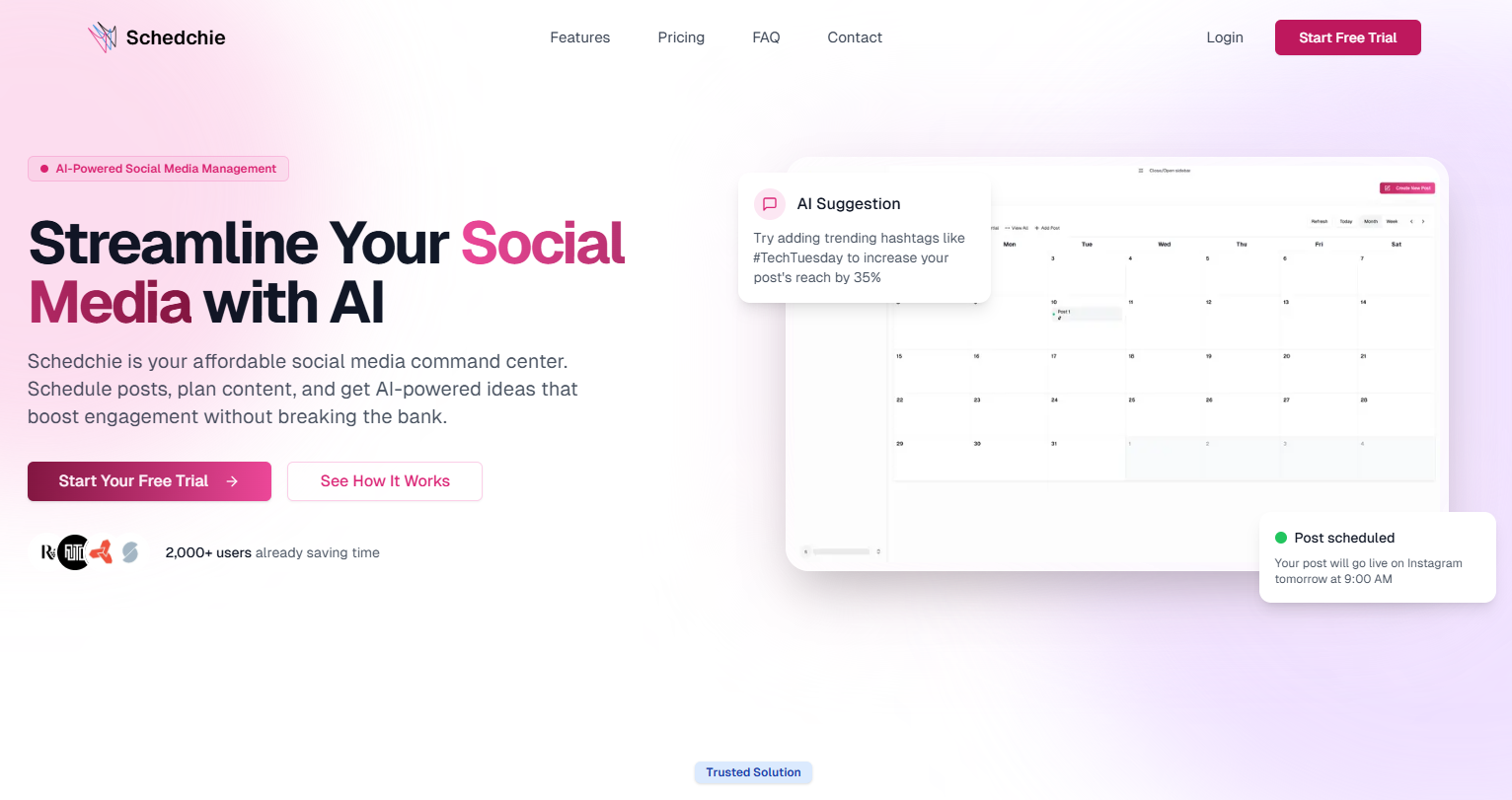
SchedChie is a newer entrant that has quickly gained popularity as an AI-powered, ultra-affordable social media management platform. It offers unlimited scheduling and accounts for a flat low price, making it especially attractive to freelancers, creators, and small businesses. Despite its budget cost, SchedChie packs in advanced features like AI-generated content ideas and a unified calendar interface.
Pros:
Budget-Friendly & Unlimited: Costs about €7.99 (~$8) per month after a free trial, which is a fraction of other platforms, yet allows unlimited social accounts and post scheduling. There are no pay-per-profile restrictions, ideal for managing many profiles on a tight budget.
AI Content Assistant: Includes an integrated AI assistant for suggesting catchy captions, post ideas, and hashtag recommendations tailored to your audience. This helps spark content creativity and optimize posts without extra effort.
Unified Scheduling for All Major Platforms: Supports scheduling across Instagram, Facebook, TikTok, Twitter (X), LinkedIn, and more from one intuitive calendar dashboard. No need to juggle multiple apps – you can plan all your content in one place.
Time-Saving Automation: Offers easy content recycling and automation. You can repurpose top-performing posts with a few clicks and queue up recurring content, streamlining your workflow. Routine tasks (like posting at optimal times) can be automated so you focus on strategy.
Beginner-Friendly Interface: SchedChie’s interface is clean and straightforward, lowering the learning curve. Users report it’s intuitive even for non-experts, with a gentle onboarding process and responsive support if you need help.
Cons:
Newer Platform: As a relatively new tool (launched mid-2020s), SchedChie doesn’t have the same long-track record or large community as some incumbents. Some very advanced features or integrations might be in development – for example, it currently emphasizes core scheduling and content creation over extras like deep social listening or third-party app integrations.
Limited Advanced Analytics: SchedChie provides basic post performance stats, but it lacks the in-depth analytics dashboards and reports that higher-end tools offer. Large teams wanting extensive reporting or competitor analysis might find it insufficient out-of-the-box.
Geared to Small Teams: The platform shines for individuals and small organizations. It does support multiple users, but features like role-based permissions or complex approval workflows are minimal compared to enterprise tools. Big agencies with complex collaboration needs might require a more robust solution (though SchedChie is rapidly evolving its feature set).
Bottom Line: SchedChie tops our list for its unbeatable value and AI features. It’s the best choice if you need a full-service scheduler without breaking the bank – perfect for creators and small businesses seeking an easy, intelligent way to stay consistent on social media. Larger teams or those needing ultra-detailed analytics may eventually outgrow it, but for most users in 2026, SchedChie covers the essentials brilliantly.
2. Buffer – Simplified Scheduling for Small Businesses
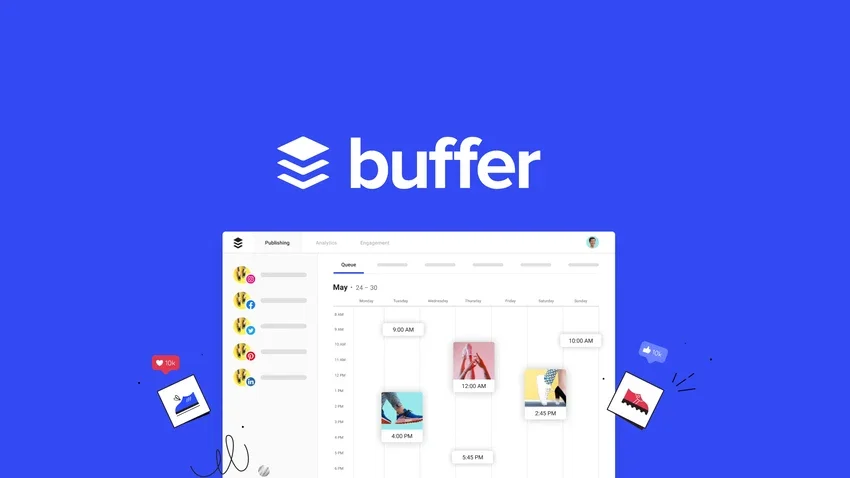
Buffer is a veteran social media management tool known for its simplicity and affordability. It’s often recommended for individuals, entrepreneurs, and small businesses who want to schedule content and measure basic performance across multiple social networks without a steep learning curve. Buffer provides a clean, no-frills interface that focuses on core features like post scheduling, queue management, and light analytics.
Pros:
Generous Free Plan & Low-Cost Upgrades: Buffer offers a free plan (manage up to 3 social channels with basic tools) and very affordable paid plans starting around $6 per month per social channel. This budget-friendly pricing and unlimited scheduling on paid plans make Buffer accessible to freelancers and startups.
Easy to Use: Praised for its clean, intuitive interface, Buffer is straightforward even for beginners. Scheduling posts or visualizing your content calendar is hassle-free. There’s little clutter – just compose your post, add it to your queue or calendar, and you’re done.
Supports Many Platforms: Buffer connects to all major social networks and even some newer or niche ones. In fact, it supports more social platforms than many competitors, including Facebook, Instagram, Twitter (X), LinkedIn, Pinterest, and even emerging networks like Mastodon and Threads. This broad support is great for cross-posting content.
Solid Basic Features: It covers all essential needs: scheduling and planning tools, a simple analytics dashboard for post metrics, a browser extension for easy sharing, and even an AI assistant for generating post ideas or captions. Buffer also has a “Start Page” link-in-bio tool for Instagram included. Collaboration features (like adding team members and assigning posts) are available on higher plans, useful for small teams.
Reliable and Proven: As one of the original scheduling tools, Buffer is stable and trusted. Posts publish reliably, and the app is updated frequently with improvements. It’s a dependable workhorse for maintaining a consistent posting schedule.
Cons:
Limited Advanced Functionality: Buffer deliberately keeps things simple, which means it lacks some advanced features found in all-in-one suites. For example, it does not offer built-in social listening, robust competitor analysis, or a unified social inbox for replying to comments (Buffer’s focus is publishing and light analytics). If you need deep monitoring or CRM-like features, Buffer may fall short.
Scaled-Down Analytics: Buffer’s analytics, while user-friendly, are relatively basic. It shows engagement metrics and post performance, but doesn’t provide the in-depth reports or audience insights that larger organizations might need. For detailed analytics or custom reporting, you’d need to export data or use another tool.
Support and Features on Free Plan: While the free plan is a plus, note that support for free users is limited, and features like direct Instagram Stories scheduling or the newest AI tools might be paywalled. Moreover, team collaboration features are restricted to higher tiers, so growing teams may need to upgrade sooner than expected.
Pay-Per-Channel Model: Buffer’s paid plans charge per social channel, which is cost-effective for a few profiles but can become pricey if you manage many accounts. For instance, 10 social profiles would be 10× the base price. Agencies or users with numerous profiles might find a flat-rate tool (like SocialPilot or SchedChie) more economical in the long run.
Bottom Line: Buffer remains one of the best scheduling tools for small businesses and creators. It’s simple, affordable, and reliable, covering all the basics of planning and publishing content. If you don’t need enterprise bells and whistles, Buffer’s clean approach is hard to beat. Just be aware of its limitations in advanced features as your social strategy matures.
3. Hootsuite – Comprehensive Suite for Large Teams (at a Cost)
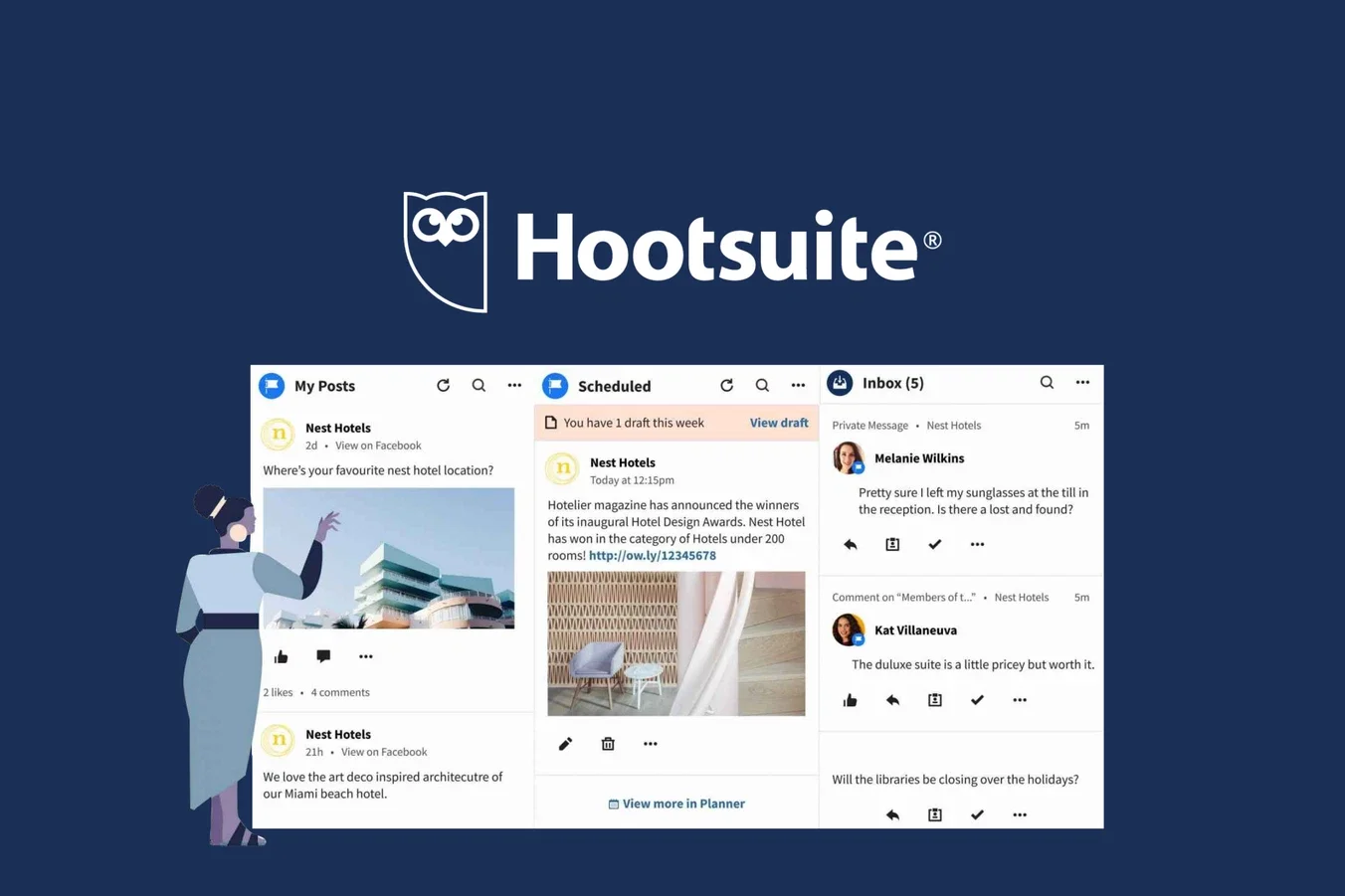
Hootsuite is a well-known, enterprise-grade social media management platform that offers a little bit of everything: scheduling, content curation, social monitoring, engagement (inbox), analytics, team collaboration, and more. It’s one of the oldest tools in the industry, recently revamped with a modern UI. Hootsuite is geared toward mid-sized to large businesses and agencies that need an all-in-one solution – and have the budget for it.
Pros:
All-in-One Functionality: Hootsuite provides a comprehensive set of tools in one platform. You can schedule and auto-publish posts across networks, monitor multiple feeds and keywords, respond to messages via a unified inbox, curate content streams, and analyze performance – all without leaving Hootsuite. This consolidation is great for teams who want to manage everything in one dashboard.
Team Collaboration & Integrations: Built for professional use, Hootsuite supports multi-user teams with features like content approval workflows, assignment of messages to team members, and customizable user roles. It also boasts a large marketplace of integrations – tying into other business tools (project management, customer support, CRM, etc.) so companies can create a tailored social media “stack”.
Strong Analytics and Monitoring: Hootsuite offers robust analytics reports and social listening features (even on base plans) to track your brand or campaigns across platforms. It can monitor hashtags, keywords, and competitor mentions in real time. The analytics allow you to measure impressions, engagement, ROI, and more, with the ability to export reports – valuable for data-driven strategies.
Suitable for Agencies & Enterprises: With support for many social accounts and advanced features, Hootsuite is well-suited for agencies and large organizations managing social at scale. It’s known to handle complex needs (e.g. dozens of profiles, high post volumes, multiple client campaigns) effectively. The interface overhaul in recent years also made it more user-friendly despite its depth.
Content Planning and Curation: In addition to scheduling, Hootsuite helps with content planning (via content calendars and campaign planners) and finding content. It offers a content library and suggestions, plus the ability to curate RSS feeds or integrate content apps, which is handy for keeping your feed active even when you don’t have original posts ready.
Cons:
High Price Tag: Hootsuite is one of the most expensive options on the market. Plans start around $99 per month per user for a Professional plan, and costs climb significantly for higher tiers or additional users. This pricing makes it overkill for individuals or very small businesses, who likely won’t fully utilize its depth and could find cheaper tools sufficient.
Recent Controversies and Trust Issues: In recent years, Hootsuite faced some negative press and user backlash (e.g. criticism over policy changes and layoffs). These controversies have eroded some trust in the platform. While it may not affect daily functionality, some users remain wary or have migrated to alternatives due to these reputation hits.
Feature Excess (Complexity): With so many features, Hootsuite can feel overwhelming. New users might find the interface crowded or complex, despite improvements. Toggling between streams, inbox, analytics, and planning requires setup and learning. Small teams needing just straightforward scheduling might find Hootsuite too heavy for their needs (both in complexity and cost).
Notable Limitations: Despite its breadth, a few niche limitations annoy users – for example, you cannot tag Instagram accounts in posts directly through Hootsuite’s composer. Also, certain newer networks or features may lag in support. These quirks mean that even paying a premium doesn’t guarantee every capability. Additionally, Hootsuite’s lower-tier plans have relatively low limits on the number of social profiles and posts, nudging serious users toward the higher-cost plans.
No Free Plan: Hootsuite eliminated its free tier (it now offers a 30-day free trial). This makes it less accessible to those who want to maintain a small footprint or test casually. You’ll need a paid subscription to continue using it beyond the trial, which contrasts with competitors that offer forever-free versions.
Bottom Line: Hootsuite is a powerhouse for end-to-end social media management, particularly for agencies and large businesses that require scheduling, listening, and analytics in one place. It delivers on features, but comes at a premium price and with added complexity. If your organization can justify the cost and needs the advanced capabilities, Hootsuite is battle-tested. Otherwise, smaller teams may opt for cheaper, simpler solutions.
4. Sprout Social – Enterprise-Grade Insights and Engagement
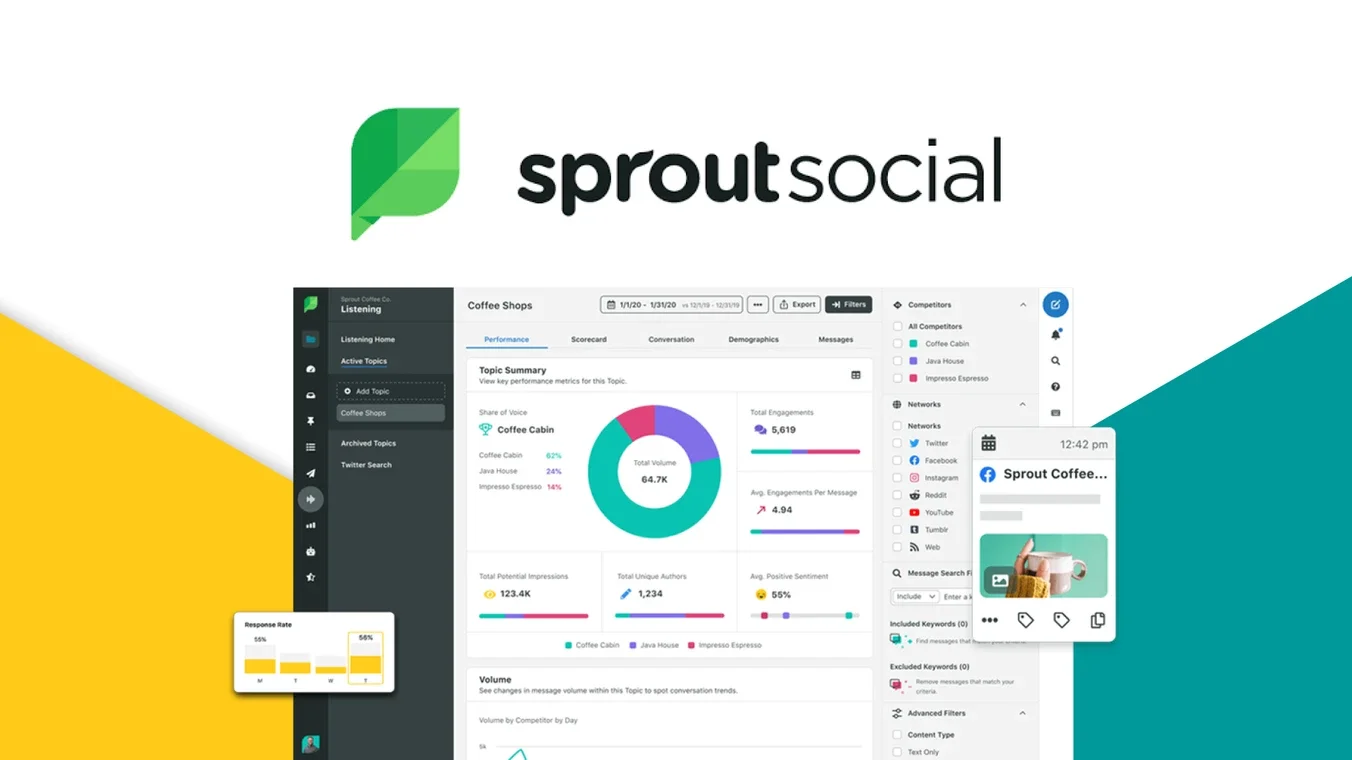
Sprout Social is an enterprise-level social media management tool known for its polished interface and powerful features – especially in analytics, reporting, and engagement. Sprout offers publishing tools similar to Hootsuite, but really shines with its in-depth data and collaboration capabilities. It’s often the top choice for brands that need comprehensive social media oversight and have the budget to invest in a premium platform.
Pros:
Robust Analytics & Reporting: Sprout Social provides exceptionally detailed analytics. Users can track impressions, engagement, audience demographics, and even connect Google Analytics to measure social traffic and ROI. Custom reports can be created on higher plans, and data can be sliced and diced by paid vs organic, campaigns, and more. These insights are invaluable for refining strategy.
Unified Smart Inbox: Sprout’s engagement features are top-notch – it consolidates all your incoming messages, comments, and mentions from across platforms into one Smart Inbox. Customer support teams love this, as it prevents anything from slipping through cracks. The inbox includes conversation history, and you can set up keyword listening to catch brand mentions even when not tagged. In short, Sprout helps you manage and respond to your community at scale efficiently.
Collaboration and Workflow: Built with teams in mind, Sprout has strong collaboration tools. Multiple team members can work in Sprout with roles/permissions, and you can create tasks or assign messages to specific colleagues. There’s an approval system for outgoing content, ensuring quality control. Team coordination is seamless, and Sprout’s calendar lets everyone see what’s scheduled and when. This makes it ideal for agencies or larger social media teams working together.
Broad Feature Set (with AI): Sprout is a full suite: scheduling across all major networks (including TikTok, Pinterest, YouTube, etc.), content libraries, social listening (monitoring blogs, forums, and the web for mentions), and even AI features. For example, Sprout offers AI assistance to generate post ideas or suggest optimal responses, and premium add-ons include chatbots and automated rules for customer service. It’s a comprehensive toolkit for social media marketing, going beyond just scheduling into influencer management and employee advocacy programs as well.
Scalability and Reliability: Sprout Social is designed to scale with organizations. It handles multiple brands and hundreds of profiles with ease, and performance is reliable. Many large companies trust Sprout for mission-critical social operations. The interface is surprisingly user-friendly given the depth of features – new users can navigate basics quickly, while seasoned pros can drill into the more advanced tools.
Cons:
Very Expensive: Sprout Social’s biggest drawback is cost. It is one of the priciest solutions on the market. Plans typically start around $249 per user per month for the Standard tier (billed annually), and go up to $399 or $499 per user for higher tiers. And these prices are per user: a team of 3 could easily spend thousands per year on Sprout. There is no free plan, only a 30-day trial, so you must budget for it long-term. For many small businesses, this investment is not feasible, making Sprout mostly targeted at mid-to-large organizations with sufficient social media budgets.
Feature Paywalls: Some of Sprout’s most valuable features are not included in the lower plans. For instance, advanced analytics and the social listening module are only on Premium/Advanced plans. The entry Standard plan, while still expensive, limits you to 5 social profiles and omits certain analytics and AI tools. This means to get the full benefit of Sprout (unlimited profiles, custom reporting, listening, automation, etc.), you likely have to opt for higher-tier (even more expensive) plans.
Profile Limits on Base Plan: As mentioned, the lowest plan only allows up to 5 social accounts, which can be a tight cap if you manage multiple brands or a wide social presence. Many companies will outgrow that and be forced into the Professional plan ($399+ per user). By comparison, some competitors allow more profiles for less cost.
Mixed Customer Support Reviews: Sprout’s customer support gets mixed feedback. Some users on review sites have reported slow support response or challenges with account management (especially smaller clients). Sprout does assign account managers for enterprise clients, but if you are a smaller user on a lower plan, you might not get the same level of attention. It’s something to consider when paying a premium.
Learning Curve for Advanced Features: While the basic scheduling and inbox are intuitive, mastering Sprout’s advanced capabilities can take time. The platform is packed with features (from chatbot automation to tagging to CRM integrations), which can feel overwhelming. New team members might need training to fully leverage everything. For example, building custom reports or setting up listening queries requires some practice and understanding of the system’s intricacies.
Bottom Line: Sprout Social is a powerful, enterprise-class platform for social media management, particularly excelling in analytics, reporting, and organization-wide engagement. It’s often the top pick for large teams that need data-driven insights and robust collaboration in one tool. However, its high cost means it’s only worth it if you truly need its advanced capabilities and can capitalize on them. Smaller organizations may find more cost-effective tools sufficient, but for those requiring the full gamut of features (and AI enhancements) at scale, Sprout Social is a leading choice.
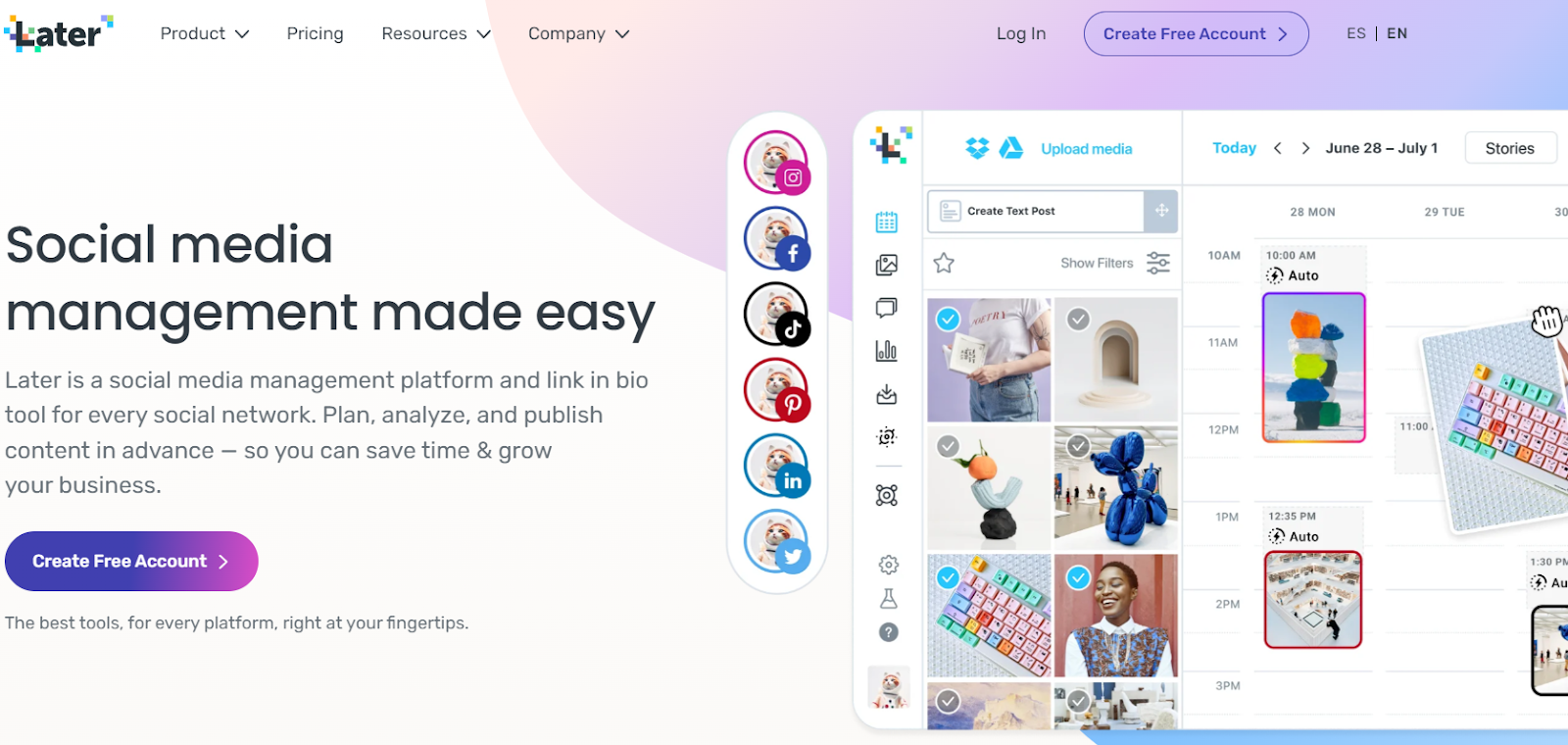
5. Later – Visual Content Planning for Instagram/TikTok
Later (formerly Latergramme) carved out its niche as the go-to scheduler for Instagram and visual content, and by 2026 it has expanded to support most major social platforms. Later is focused on visual planning – it offers a drag-and-drop content calendar and an Instagram feed preview to ensure your grid looks cohesive. This makes it ideal for creators, influencers, and brands that prioritize aesthetics on platforms like Instagram, TikTok, and Pinterest. It’s also popular with social media managers who handle content scheduling for clients (including agencies).
Pros:
Excellent Visual Planning Tools: Later’s interface is very visual and intuitive. You can design your Instagram feed with a grid preview to see how posts will look together. The calendar uses drag-and-drop scheduling, making it easy to rearrange posts for a perfect aesthetic. If your brand cares about the look and feel of your feed, Later excels here.
Features for Instagram & TikTok: As an early Instagram partner tool, Later supports features like scheduling Instagram Reels, Stories, and carousel posts, and it was among the first to allow direct TikTok scheduling. It also offers suggestions for best times to post on Instagram and has a Hashtag Suggestions feature to boost discoverability. Additionally, Later’s Linkin.bio feature lets you create a shoppable Instagram bio link page to drive traffic from your posts (useful for influencers and small businesses).
Media Library & Content Creation: Later provides a built-in media library where you can store images and videos for easy reuse. It integrates with Unsplash and Canva for free stock photos and custom graphics, which is handy for creating content. The platform is designed to streamline content creation and planning, with features like saved captions, snippet templates, and a calendar notes function to map out upcoming campaigns or holidays.
Multi-Platform Scheduling: While Instagram is the core, Later also supports Facebook, Twitter (X), Pinterest, LinkedIn (for posts), and TikTok. This means you can schedule across all these networks from Later, maintaining consistency. You can tailor each post per platform (e.g. tweak the caption or crop) in one workflow. Later also has mobile apps, so you can schedule or get notifications on the go.
Free Plan Available: Later offers a free plan (with limitations) – typically allowing 1 social set (one profile per network) and a certain number of posts per month (e.g. 10 posts per profile). This is great for individuals who are just starting out. Paid plans are available as your needs grow, but it’s nice that you can use a basic version of Later at no cost to see if it fits your workflow.
Cons:
Limited Posts on Free/Lower Plans: Later’s free plan, while useful, is restricted – you can only schedule a limited number of posts each month, and some features (like Pinterest or TikTok scheduling, or analytics) aren’t included. Even the entry-level paid plans cap the number of posts you can schedule per social profile. For users with high volume needs, these limits can be frustrating and you may need to jump to a higher tier.
Pricing for Higher Tiers: Compared to some competitors, Later can become pricey as you upgrade. Its paid plans (Starter, Growth, Advanced) range roughly from ~$18 to $50+ per month, and those prices increase if you need to add more social sets or users. Agencies managing many clients might find that Later’s cost per social profile is not the cheapest, given there are alternatives with flat rates for unlimited profiles.
Less Suitable for Complex Team Workflows: Later is fantastic for planning content, but it is not an all-in-one “social CRM” tool. It lacks a unified social inbox for responding to comments/messages, and it doesn’t have robust team collaboration features beyond basic multi-user access. There’s no built-in social listening or advanced client approval system. Thus, for a solo creator or a small team focusing on outgoing posts it’s great, but larger teams with complex approval chains or engagement management might outgrow it.
Analytics Are Basic: Later includes analytics focused on social growth and post performance (especially for Instagram, like story views, follower growth, best posting times). However, the analytics are not as in-depth as tools like Sprout or Metricool. There’s no deep competitor analysis or custom reporting; insights are mostly platform-provided stats in a neat format. Businesses needing comprehensive analytics might need an additional tool.
No Native YouTube or Advanced Networks: Later covers the main social networks, but it doesn’t support YouTube scheduling or some of the more specialized platforms. If your strategy includes YouTube or others beyond the core six (FB, IG, Tw, LinkedIn, Pinterest, TikTok), Later might not accommodate that. Additionally, Later’s focus on visuals means it’s less oriented to text-centric platforms like LinkedIn – you can post there, but without features tailored to B2B or text posts.
Bottom Line: Later is the top pick for visually-focused social media scheduling, especially for Instagram-first strategies. Its interface makes content planning a breeze for creatives, and features like the IG grid preview and hashtag suggestions are perfect for boosting your aesthetic and reach. If you’re a content creator, influencer, or agency heavily involved in Instagram and TikTok content, Later will likely fit your needs. Just be mindful of its posting limits and that it doesn’t replace a full social engagement tool – it’s best paired with manual community management or another tool for replying to comments if needed.
6. Metricool – Data-Driven Management with Comprehensive Analytics
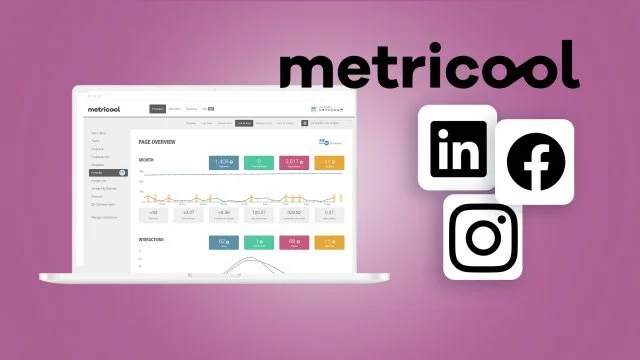
Metricool is an all-in-one social media (and digital content) management platform that stands out for its analytics and reporting capabilities. It’s a tool that not only lets you schedule posts, but also connect your website/blog, ad platforms, and multiple social networks to give you a 360° view of your online presence. Metricool has become popular among marketers and agencies who value data – in fact, over 1 million professionals and major brands (like Peugeot, Adidas, and McDonald's) use Metricool, indicating its credibility in the industry.
Pros:
Unified Platform for Social, Web, and Ads: Metricool is unique in that it can manage your social media, website analytics, and even online ad campaigns in one dashboard. You can track your website visitors and blog performance alongside your Instagram and Facebook stats. This is incredibly useful for seeing the bigger picture and how social efforts translate into site traffic or conversions.
In-Depth Analytics Across Platforms: Metricool offers in-depth analytics for more platforms than most tools support. You get detailed social media metrics (engagement, follower growth, optimal post times), the ability to generate automated reports, and even competitor analysis for up to 100 competitors. It covers analytics for Facebook, Instagram, Twitter, TikTok, LinkedIn, YouTube, Twitch, Pinterest, Google Business Profile, and more – providing a truly comprehensive view.
Social Inbox & Monitoring: The platform includes an Inbox feature that consolidates messages and comments from your social accounts, so you can reply directly without switching platforms. It also has hashtag tracking and keyword monitoring capabilities (some as add-ons) to keep an eye on trends or campaigns. This means Metricool isn’t just for publishing – it helps you engage and listen as well.
Powerful Scheduling & Content Features: On the publishing side, Metricool has a robust Content Planner that allows visual calendar scheduling, editing on the fly, and even a built-in image/video editor. You can plan content months ahead, categorize posts, and add internal notes or to-do reminders on posts for team coordination. It also offers AutoLists (content queues) to automate posting of evergreen content, and it was among the first tools to enable direct TikTok scheduling and Instagram Stories auto-publishing. An AI text generator is available too, assisting with copywriting if you need ideas for captions or tweets.
Freemium and Value for Money: Metricool has a free plan with basic functionality (great to try out) and very competitively priced paid plans given the feature set. It’s often cited as “hugely underrated” and one of the top affordable tools for social media management. You get a lot of value – including features like multi-platform analytics and competitor benchmarking – at a cost lower than many high-end tools. This makes it attractive for small businesses and agencies on a budget who still need data-driven capabilities.
Cons:
Premium Features by Tier: Some of Metricool’s coolest features are reserved for higher plans. For example, the more advanced reporting templates are only in the higher “Advanced” plan, and team collaboration (adding team members) is limited to Advanced and above. Smaller plans might feel a bit restricted if you need those capabilities, meaning an upgrade (and higher cost) could be necessary as you grow.
Extra Cost for Add-ons: Metricool offers add-ons like a Hashtag Tracker for in-depth hashtag analytics, but these can be pricey (e.g., around $9.99/day for certain trackers). These costs can add up if you require that functionality regularly, potentially making Metricool more expensive than it first appears for specific use cases.
UI and Learning Curve: While Metricool is powerful, some users find the interface a bit clunky or less intuitive than simpler tools. There is a lot of data and options packed in, which can overwhelm new users. Additionally, certain concepts like “Autolists” (Metricool’s term for content queues) are unique and can be confusing to set up at first. It may take some time to fully familiarize yourself with all the features and navigation.
Lacks Some Niche Features: Metricool covers most bases, but it isn’t as specialized in certain areas. For instance, its social listening is basic compared to dedicated listening tools (it monitors your accounts and hashtags, but it’s not a full web listening service unless you use external integrations). Also, while it has an inbox, it might not have as sophisticated a workflow for large support teams as something like Sprout Social. Consider whether these aspects matter for your needs.
Team Workflow Limitations: For large agency workflows, Metricool’s collaboration is decent (you can add team members and assign roles on higher plans), but it might lack some granular approval flows that very large teams want. There’s no built-in content approval progress tracking (other than leaving notes for team members). Therefore, super structured teams might still rely on external processes for approvals.
Bottom Line: Metricool is an excellent choice for those who value analytics and a unified approach to digital content management. It effectively combines scheduling and publishing with powerful analysis tools, giving you data-driven direction for your social strategy. It’s particularly recommended for marketers managing multiple brands or anyone who wants one dashboard for socials, web, and even ads. While a bit of a learning curve exists, the breadth of insight Metricool provides can truly elevate your social media planning. All in all, it’s one of the best bang-for-buck tools in 2026 for comprehensive social media management, so long as you’re willing to invest a little time to harness its full potential.
7. SocialPilot – Best for Agencies and Small Teams on a Budget
SocialPilot has built a reputation as a cost-effective social media management tool tailored for agencies, small businesses, and growing teams. Its feature set covers all the essentials – multi-platform scheduling, a content calendar, analytics, and team collaboration – but at a significantly lower price point than enterprise tools. If you’re managing social media for multiple clients or accounts and find Hootsuite/Sprout out of reach, SocialPilot is a strong alternative that doesn’t sacrifice core functionality.
Pros:
Manage Many Accounts Affordably: SocialPilot’s plans allow you to connect a large number of social accounts for a flat rate, which is perfect for agencies or social media managers with many clients. For example, the Professional plan (~$30/mo) lets you manage 10 profiles, and higher plans go up to 50 or 100 profiles for a few hundred dollars – a much better profiles-per-dollar ratio than Hootsuite or Sprout. There’s also a 14-day free trial to test it out.
Agency-Oriented Features: The platform is clearly designed with agencies in mind. It offers client management tools like grouping social accounts by client, and even a way to share a white-label dashboard or approval link to clients for content review. You can generate custom reports (with your branding on higher plans) to send to clients. SocialPilot also supports team collaboration with the ability to set user roles/permissions and an approval workflow for posts. Essentially, it provides many agency workflow features (approval, team roles, client-specific grouping) at a much lower cost than enterprise tools.
Full Calendar & Bulk Scheduling: SocialPilot includes a visual content calendar where you can see and drag-and-drop posts for easy rescheduling. It also has a handy bulk upload feature (via CSV) that lets you schedule hundreds of posts at once – a huge time-saver if you prepare content in batches. Additionally, features like a content library to store post templates or ideas, and an RSS feed auto-sharing option, help keep the content pipeline filled with minimal manual effort.
Integrated Analytics & Reports: While not as in-depth as something like Sprout, SocialPilot does offer analytics for your connected accounts, including insights on engagement, top posts, audience growth, etc. It can compile these into reports (PDF, CSV) and even schedule reports to be emailed automatically, which is convenient for client updates. For many small businesses, these analytics (which cover Facebook, Twitter, Instagram, LinkedIn, Pinterest, Google Business, TikTok) are more than sufficient to gauge performance.
Continual Improvements (New Features): SocialPilot has been adding features to keep up with industry trends – for example, they introduced an AI assistant for content inspiration and refined their social inbox. The social inbox brings comments and messages from multiple platforms into one place for you to respond (though it currently supports a subset of platforms). They also integrate with external tools like Canva for design and offer a browser extension for easy content curation. This shows SocialPilot is evolving and packing more value into its affordable plans.
Cons:
User Interface Can Feel Cluttered: SocialPilot’s interface isn’t as slick or modern as some top-tier tools. Some users find the dashboard a bit cluttered or not as intuitive, especially when first starting. There are many options and settings which, while powerful, might overwhelm a newcomer. The design is functional but not as polished as, say, Buffer or Later.
Missing Advanced Features: As a trade-off for lower cost, SocialPilot lacks certain advanced features. There’s no social listening or sentiment analysis component, so you can’t track brand mentions beyond your own inbox. It also does not support posting to Instagram Stories directly (you can schedule posts, but story publishing might need a push notification workaround). Additionally, it supports the major networks, but not all – for example, no direct Pinterest or Threads support as of 2026 (subject to change).
Basic Analytics Depth: The analytics SocialPilot provides are useful but relatively basic compared to enterprise solutions. For instance, you won’t get deep competitor analysis, hashtag performance, or multi-campaign tracking in SocialPilot. Customization of reports is limited (apart from branding on higher plans). For many small businesses this is fine, but data-driven marketers might desire more granularity than SocialPilot offers out-of-the-box.
Mobile App Limitations: SocialPilot does have a mobile app, but some users note it’s not as fully featured as the web app. Certain tasks (like bulk scheduling or viewing detailed analytics) may require using the desktop version. The mobile app is perfectly okay for checking your calendar or making quick changes, but heavy content creation or deep dives might need a laptop.
No Permanent Free Plan: SocialPilot does not offer a free tier (only the 2-week free trial). This isn’t unusual for a professional tool, but it means you can’t use it indefinitely without paying, unlike Buffer or Later which have limited free plans. That said, given its target user (agencies/teams), the expectation is you’ll upgrade if it meets your needs.
Bottom Line: SocialPilot is an excellent budget-friendly solution for managing multiple social accounts, particularly suited for agencies and small teams. You get many of the workflow benefits of pricier tools – multi-client management, team collaboration, scheduling and an organized calendar – at a significantly lower cost. It may not have every advanced feature, and the UI isn’t flashy, but it nails the fundamentals and even some extras like bulk scheduling and content curation. If you’re expanding your social clientele or just need an affordable way to handle lots of profiles with a team, SocialPilot should be high on your list.

8. Agorapulse – All-in-One Solution for Agencies & Mid-Sized Businesses
Agorapulse is a powerful all-in-one social media management tool that has become especially popular with agencies and mid-sized businesses. It offers a balance between the comprehensive features of Sprout Social and the (slightly) more moderate pricing compared to enterprise tools. Agorapulse includes scheduling, an advanced unified inbox, social listening, analytics, and collaboration features – essentially covering the full spectrum of social media management in one platform.
Pros:
Unified Social Inbox: Agorapulse’s standout feature is its Inbox – it consolidates all your incoming messages, comments, mentions, and even ad comments from Facebook, Twitter, Instagram, LinkedIn, and YouTube into a single dashboard. This makes community management vastly more efficient; you can respond, assign, or tag incoming items and strive for “Inbox Zero” with ease. For support and engagement, this feature is invaluable (many users say Agorapulse has one of the best social inbox implementations).
Comprehensive Publishing Tools: Like others, Agorapulse allows scheduling and queuing posts across all major platforms (including Facebook, Instagram, Twitter, LinkedIn, YouTube, and more). It supports bulk upload, and unique to Agorapulse, you can set up queue categories (e.g., “Promotions”, “Blog posts”, “Quotes”) each with their own schedule, and the tool will automatically fill timeslots with content from those categories. This helps maintain content diversity and consistent posting without micromanaging each slot.
Social Listening & Monitoring: Agorapulse includes built-in social listening features (even on its mid-level plans) to monitor keywords, hashtags, and competitor mentions across social networks. This real-time monitoring, combined with the inbox, means you can track brand sentiment, catch opportunities or crises early, and see what’s being said about your clients beyond direct comments. It’s a step above tools that only handle your direct mentions.
Advanced Analytics & Reporting: The platform offers detailed analytics on content performance, engagement, response times, and audience growth for all connected profiles. Customizable reports can be generated (you can select which metrics and timeframes to include), and you can even white-label these reports with your agency’s branding for clients. The analytics, while not as granular as Sprout’s highest tier, are more than sufficient for most needs and provide clear insights.
Team-Friendly Collaboration: Agorapulse supports multi-user teams with role-based access, assignment, and internal notes on content or messages. You can have team members assigned to specific profiles or given limited permissions (e.g., “moderator” can reply to inbox messages but not publish posts, etc.). It also logs user activities for accountability. For agencies, the ability to add clients as “read-only” users or share content plans for approval is very useful. Overall, it’s built to handle multi-person workflows.
Trusted by Agencies: Over 3,000 agencies use Agorapulse, and it’s frequently rated highly for customer support and ease of use. It even has a free version (with very limited features) and offers a generous 30-day free trial on paid plans, so you can test it thoroughly. Agorapulse tends to be praised for combining many features in one interface without feeling as overwhelming as some larger tools – a big plus if you want power and usability.
Cons:
Pricing Still on the High Side: While Agorapulse is usually slightly cheaper than Sprout Social, it’s still a premium tool. Its pricing is configured similarly with per-user (seat) pricing and tiered feature sets. For instance, the Standard plan might start around $99/month for a couple of users and a set number of profiles, but if you need additional users or profiles, costs rise quickly. Agencies can find it expensive as they add team members or clients, since extra users often require upgrading to higher plans or paying add-ons. In short, Agorapulse can become costly for big teams, albeit still a bit less than Sprout/Hootsuite at enterprise scale.
Report Customization Limits: Some users note that customizing reports is somewhat limited – you can choose from preset metrics and date ranges, but you might not have full flexibility to craft entirely bespoke reports with any combination of metrics. For example, comparing two specific date periods or getting very granular data exports might not be as robust. For most standard reporting needs this is fine, but data geeks might hit some walls.
Mobile App Could Improve: Agorapulse has mobile apps for iOS/Android so you can manage on the go, but the app doesn’t offer the full functionality of the web version. Some advanced tasks (like setting up listening searches or viewing certain analytics) may require desktop. Additionally, a few users have reported sync delays in the mobile inbox (e.g., notifications slightly lagging). While not a dealbreaker, the mobile experience isn’t as seamless as the desktop for heavy use.
Steep Learning Curve for New Features: Agorapulse packs a lot in, so getting the most out of features like queue categories, listening filters, or CRM integrations might require reading documentation or attending a webinar. It’s not terribly hard to learn, but to leverage its full power you’ll need to invest some time. Fortunately, their support and onboarding materials are generally helpful, but compared to simpler tools, expect to do a bit of setup.
Limited Integrations: Agorapulse focuses on social networks; it has fewer third-party integrations compared to Hootsuite or Sprout. For example, it might not natively integrate with as many CRM systems or Zapier triggers. It covers basics like connecting to bit.ly for URL shortening, or Google Analytics for UTM tracking, but it’s not a wide-open platform in terms of extensions. If you rely on connecting many apps together, check Agorapulse’s integration list for any potential gaps.

Bottom Line: Agorapulse is a top-tier social media management tool that gives you nearly everything – scheduling, inbox, listening, analytics, collaboration – in one well-designed package. It’s especially recommended for agencies and social media managers who handle multiple profiles and need robust engagement tools (the inbox and listening features are standout advantages). While the cost is significant, it delivers high value through time saved and insights gained. If you find tools like Sprout Social appealing but too pricey, Agorapulse is a compelling alternative that many in the industry swear by. It strikes a fine balance between enterprise capabilities and user-friendly design, making it a solid investment for growing your social media impact.
Final Thoughts: Choosing the right social media management tool in 2026 comes down to your specific needs: your budget, the number of accounts you manage, and which features matter most (be it top-notch analytics, team workflows, AI content help, or visual planning). The eight tools above are among the very best, each with unique strengths.
If you’re a small business or creator on a budget, Schedchie or Buffer might serve you perfectly with their affordable plans and ease of use.
If you handle rich visual content, Later could be your friend for planning out that perfect feed.
Agencies or larger teams should look at Schedchie (for affordability), or step up to Agorapulse, Hootsuite, or Sprout Social if advanced features and integrations are worth the cost.
And for the data-driven strategists, Metricool offers analytics insights that can guide your every move.
By weighing the pros and cons – and taking advantage of free trials – you can find the tool that best aligns with your workflow. With the right platform in hand, you’ll save time, stay organized, and get better results from your social media efforts in 2026 and beyond. Good luck and happy scheduling!
